Learning Management System

Learning administration · Delivery · Assignments · Compliance

LMS overview

01
02
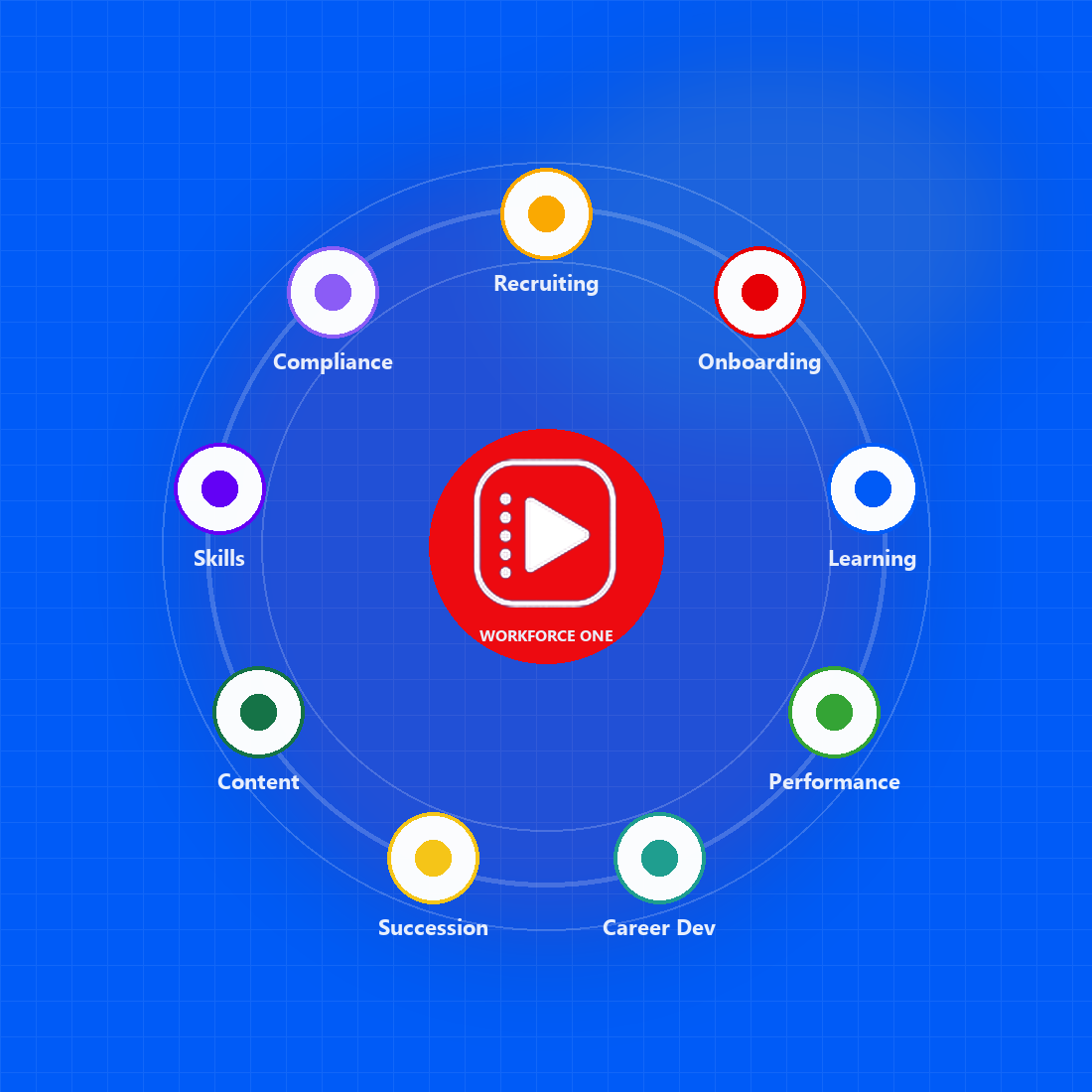
Workforce One: recruiting, onboarding, learning, performance, career development, succession, content, skills and compliance around one platform
About Ziora

Ziora - Workforce One platform

Ziora Workforce One connects every stage of the workforce journey on one AI-powered platform, with learning at its core. The person you hire is the person you train, review and prepare for the next role.

Established in 2024

Built to make corporate learning engaging, effective and accessible.

Workforce One platform

Recruiting, onboarding, learning, performance, skills and succession on one employee record.

Learning at the core

Courses, programs, live training and certifications sit at the center of how people grow.

Built for regulated industries

SOC 2 and HIPAA certified, with compliance training, renewals and audit trails.

03
Market differentiation

How Ziora is different

Not another standalone LMS. A learning system built into the platform your whole workforce already uses.

01

One integrated platform

Learning shares one employee record with recruiting, onboarding and performance — no separate LMS login or re-keying.

02

100+ years of combined experience

A leadership team with more than 100 combined years in LMS and talent management.

03

Live in four weeks

A faster implementation cycle, with users, history and certifications moved from your current LMS.

Ziora vs a typical LMSTypical LMSZiora
The platform

Disconnected systems, each holding its own version of a person

One platform, with learning at the core of every role

How you go live

A nine-month integration; new hires re-keyed into learning

Production-ready in four weeks; users, history and certifications migrated

Support for people

Separate logins; managers export spreadsheets to see progress

One record from candidate to next role; day-one paths and compliance

Adherence to readiness

Training records in a separate system; audit packs built by hand

Completions, certificates and e-sign on the employee record

Client experience

The same demo for everyone; a ticket queue after go-live

A walkthrough mapped to your workflows; requests built and shipped fast

04
Foundation

LMS core objects

Everything in the LMS is built from three families of objects: the people and structure you train, the learning you deliver, and how you evaluate it.

People & structure

  • Users
  • Jobs and positions
  • Organizations and divisions
  • Skills
  • Groups (rule-based audiences)

Learning

  • Online courses: SCORM, video and documents
  • Instructor-led classes
  • Virtual sessions
  • Training programs and pathways

Evaluation & on-the-job

  • Assessments
  • Training plans and assignments
  • Observation checklists
  • Diplomas and certifications
05
Audiences

Learner groups and audience segmentation

Groups find the right learners with flexible rules, so visibility and assignments follow people automatically.

Example rules

  • User's job is Plant Operator
  • User's organization is Choutuppal Clinic
  • User's start date is after 1 Oct 2026

Rules combine with AND — people must match every rule. Several values inside one rule combine with OR.

ResultNew operators in Choutuppal plant see onboarding courses and get them assigned on day one.

Rules decide who is in a group

Filter on job, organization, manager, language, start date, custom fields or all users.

Membership keeps itself current

As people change jobs or organizations, their groups — and their training — follow.

Groups drive visibility and access

Make a course visible to a group so its members can find and register for it.

Groups drive assignments

Assign required or recommended training to a group with one due date or rolling due days.

06
Content

Learning content and delivery

Self-paced and live training in one catalog, with AI that turns documents into audio and summaries.

Online courses

  • SCORM packages, videos and documents
  • Configurable supported file types
  • Internal or external launch URLs
  • Multi-language content, including Telugu and Hindi
  • AI-generated audio and summaries

Instructor-led

  • Schedule many classes for one course
  • Virtual ILT with Microsoft Teams
  • Rosters, attendance and completions
  • Instructor schedules and locations

Additional areas

  • Training programs
  • Assessments
  • Observation checklists
  • Self-reported training
  • Diplomas
  • Certifications
  • Skills
07
Assignments

Training assignments and progress

Assign once and track everywhere — administrators, managers and learners each get a view built for them.
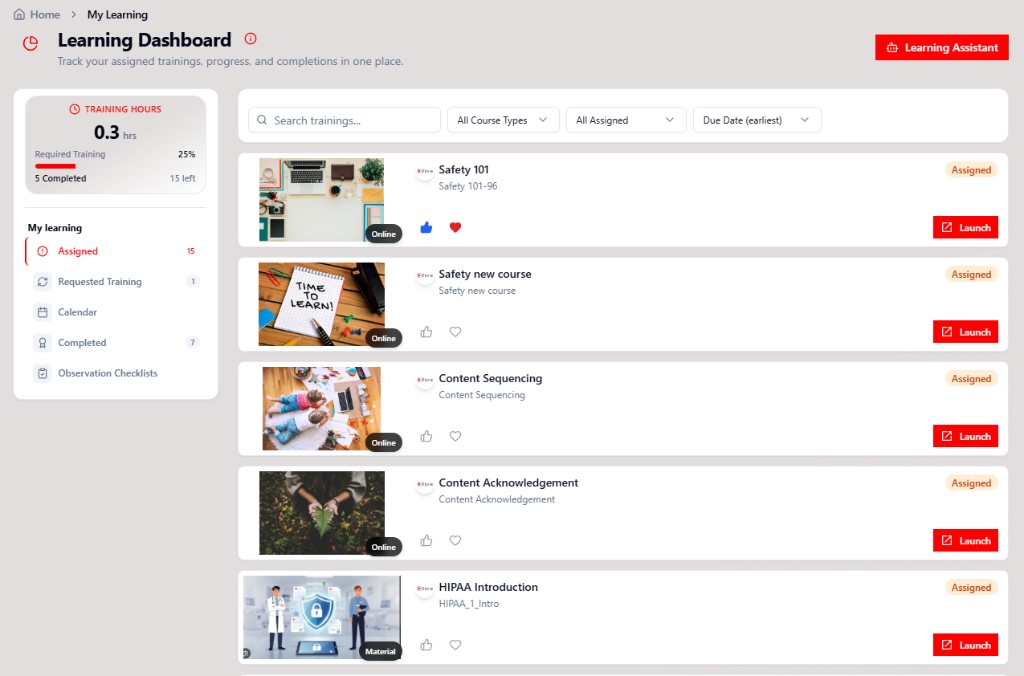
Ziora Learning Dashboard showing training hours, assigned courses and Launch actions

Assign by user, job, organization or group

Target one person or everyone who matches — new members are picked up automatically.

Required or recommended

Mark mandatory training as required, with a due date or rolling due days.

Administrator: Assigned Training Summary

Assigned, satisfied, in progress and overdue for every training in one view.

Manager: Team Dashboard

Managers see and manage their team's training without a spreadsheet export.

Learner: Learning Dashboard

Each learner sees what's assigned, what's due and what's complete.

08
Learner experience

From visible to complete

Learners reach training through the Learning Dashboard. What they can see and launch depends on their groups and assignments.

  1. In the course's group

    Group membership makes the course visible in the catalog.

  2. Assigned or self‑registered

    Learners can register for any visible course — an assignment isn't always needed.

  3. Launch

    Open the training from the Learning Dashboard.

  4. Complete

    Pass the score, attend the class, or sign off — with e‑signature where required.

  5. Recorded

    Completion, history and diploma stay on the employee record.

Good to know: learners must belong to the course's group to launch and complete it — even when the course is assigned to them directly.

09
Compliance

Auditing, compliance and exceptions

Prove who was trained, when and how — and handle the exceptions — without assembling audit packs by hand.

Assignment tracking

Who is assigned, due, overdue and complete.

Electronic signatures

On rosters, completions and cancellations.

Observation checklists

Signed-off, on-the-job skills checks.

Versioning

Content versions with history kept intact.

Messages and emails

Automatic notices for assignments and due dates.

Training exceptions

Waive, extend due dates or reassign — with a reason.

Audit trail reports

Change history for assignments, people and catalog.

Data auditing and reports

Standard learning, assessment and certification reports.

Ad hoc report authoring

Drag-and-drop custom reports and charts.

GDPR

Permanently remove data for people who have left.

10
Quick check

Your requirements

Let's tailor the discussion to your organization.

Current environment

  • Are you using an LMS today? Which one?
  • Is this a replacement, an improvement or a first-time implementation?

Key priorities

  • Which capabilities matter most?
  • Any workflows, reports, integrations or approvals to consider?
  • What challenges should the LMS address?

Capture requirements

  1. Priority 1
  2. Priority 2
  3. Priority 3
  4. Follow-up / owner
11
Analytics

System overview at a glance

See how the LMS is being used right now — who is active, what is being launched and completed, and how that compares with the previous period.
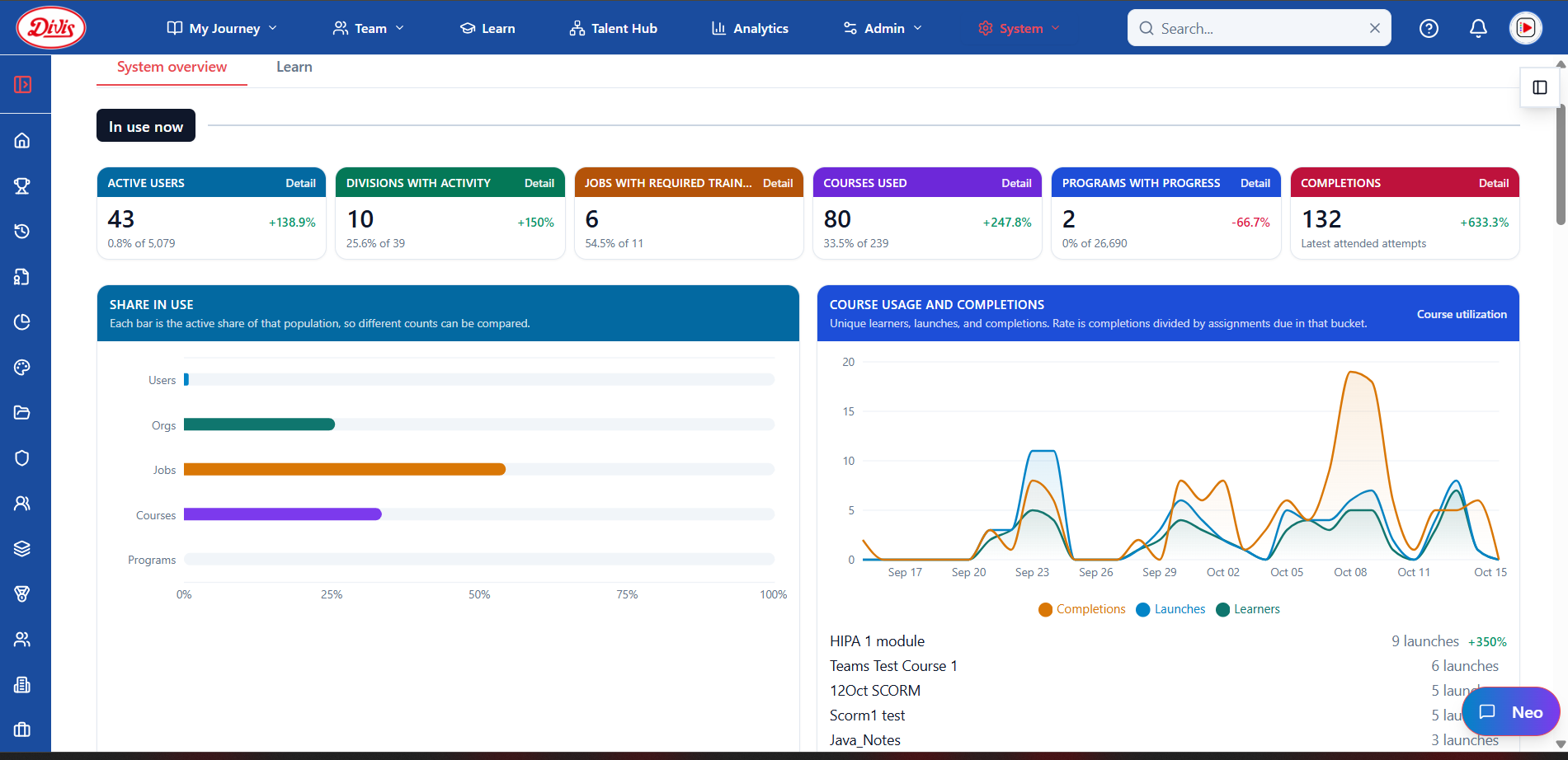
Ziora System overview with in-use counts, share in use, and course usage and completions over time

In use now

Active users, divisions, jobs, courses, programs and completions, with change against the previous period.

Share in use

The active share of each population on one scale.

Course usage and completions

Daily learners, launches and completions, with the completion rate.

Most-launched courses

Top courses and their trend, with drill-down to the detail.

12

See Ziora Learning with your team.

Bring your courses, roles and compliance needs — we'll walk through them in the LMS.

Built by practitioners with 20+ years in enterprise learning.

Built for these industries

  • Healthcare
  • Manufacturing
  • Airlines
  • Banking
  • Retail
  • Distribution
  • Education
  • Technology
  • Consulting/Professional Services
13